
To add a server definition, in the “SERVERS” section fill in the server’s IP address, select the “add” option, then click the “OK” button. A dialogue box will show where you can insert the server’s attributes:
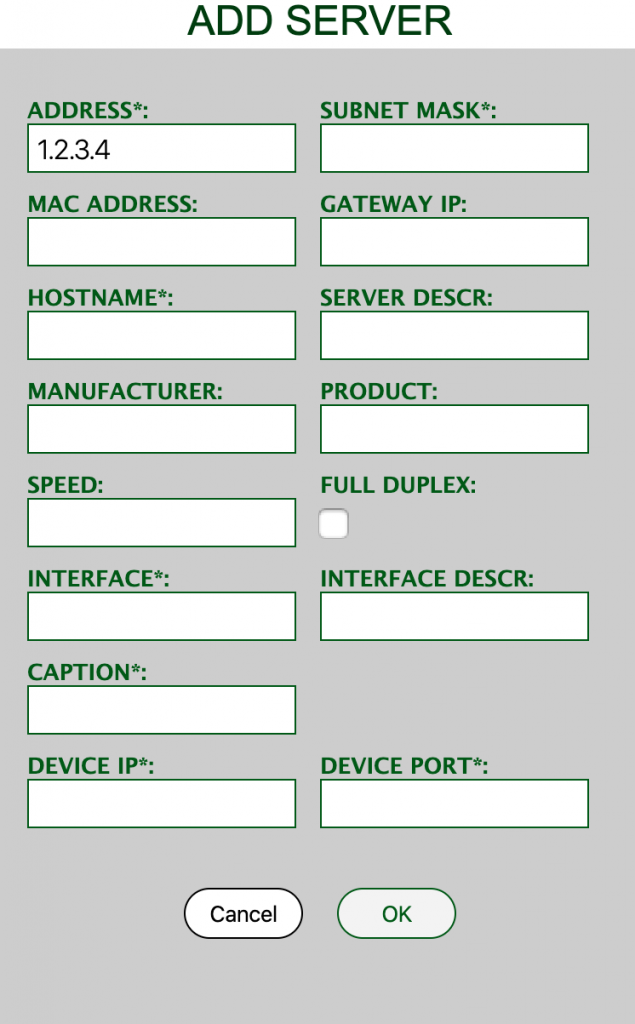
Attributes with a star (*) are mandatory. The “DEVICE PORT*” is the physical port that the server would be connected to (e.g. a data switch), and it should be given in the full port name format (e.g. FastEthernet1/1, as it appears on the network device).
To delete a particular server, fill in its “ip address”, select the “remove” option and click “OK” button.
To delete ALL servers, select the “delete all” option and click the “OK” button.